Axon syntax
This page shows the canonical Axon authoring syntax with practical examples.
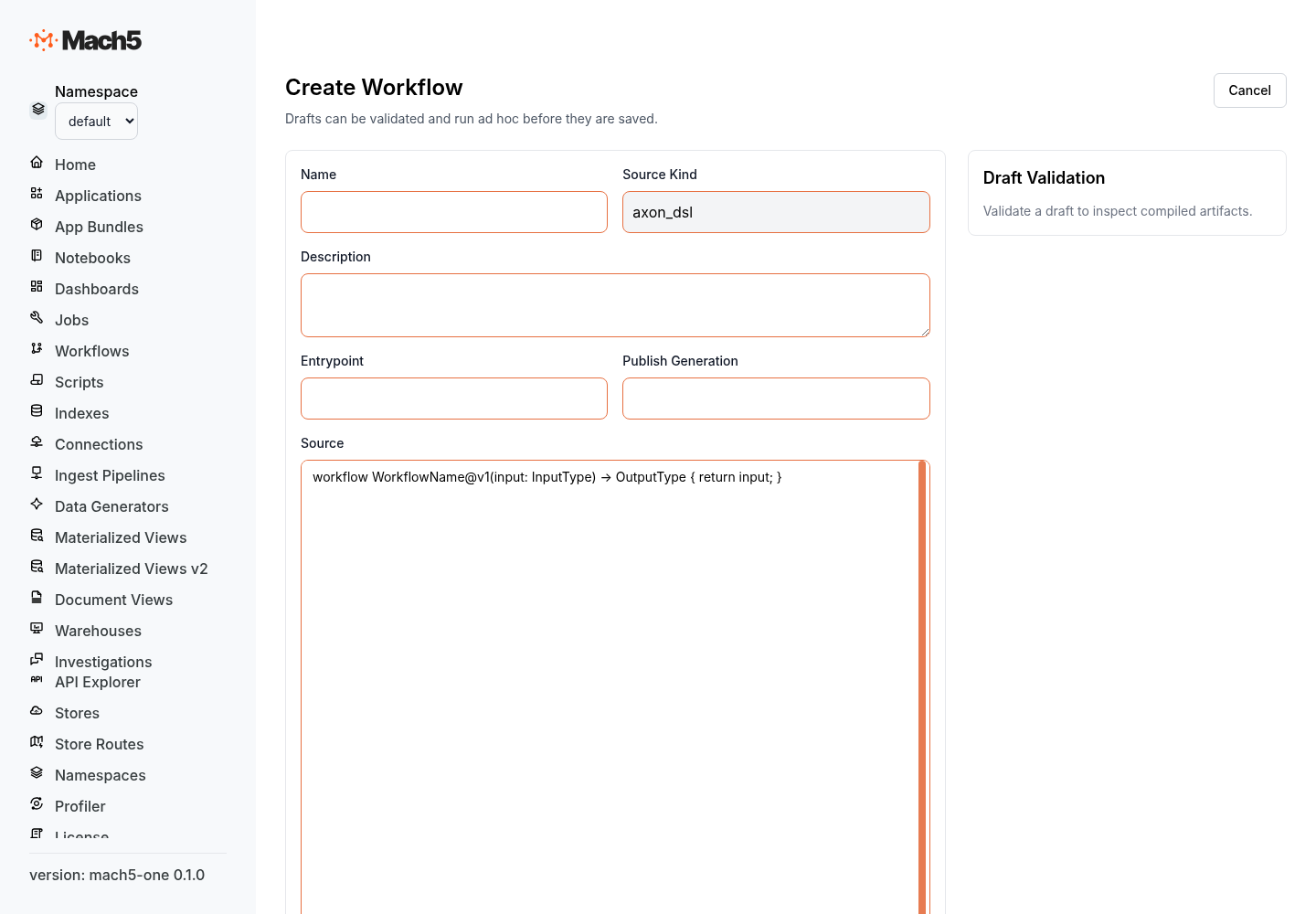
Workflow declaration
workflow Name@v1(input: InputType) -> OutputType {
  return input
}
A workflow has a name, version, one input parameter, an optional output type, and a block.
type FindingInput {
  finding_id: String;
  severity: String;
  summary: String;
  channel: String;
}

workflow NotifyFinding@v1(input: FindingInput) -> Object {
  return {
    finding_id: input.finding_id,
    notified: true
  }
}
Types
Use type to define structured inputs and outputs.
type EmailTarget {
  address: String;
  display_name: String?;
}

type NotificationInput {
  subject: String;
  body: String;
  recipients: [EmailTarget];
}
Common types include String, Number, Boolean, Object, Json, arrays such as [String], and optional fields with ?.
Variables and assignment
Use let for new bindings and plain assignment for reassignment.
workflow ScoreFinding@v1(input: Object) -> Object {
  let score = 0

  if input.severity == "critical" {
    score = 100
  } else {
    score = 50
  }

  return { score: score }
}
Objects and arrays
Object fields use :.
let payload = {
  title: input.summary,
  labels: ["mach5", "needs-review"],
  metadata: {
    finding_id: input.finding_id,
    severity: input.severity
  }
}
Templates
Template strings use backticks and MiniJinja syntax.
let message = `Finding {{ input.finding_id }} is {{ input.severity }}: {{ input.summary }}`
Multi-line templates are useful for issue bodies and email text.
let body = `
Mach5 finding: {{ input.finding_id }}

Severity: {{ input.severity }}
Summary: {{ input.summary }}
`
Connector effect syntax
Use effect connector to call a configured integration.
let output = effect connector {
  connection: "connection-name",
  operation: "operation_name",
  input: {
    key: "value"
  }
}
The fields are:
| Field | Required | Meaning |
|---|---|---|
connection | Yes | Name of the configured connector connection. |
operation | Yes | Connector operation name. The connector prefix is optional when the connection kind is known. |
input | Yes | JSON-compatible operation input. |
Example: post to Slack
type SlackFindingInput {
  channel: String;
  finding_id: String;
  severity: String;
  summary: String;
}

workflow PostFindingToSlack@v1(input: SlackFindingInput) -> Object {
  let text = `*{{ input.severity }}* finding {{ input.finding_id }}: {{ input.summary }}`

  let result = effect connector {
    connection: "slack-prod",
    operation: "post_message",
    input: {
      channel: input.channel,
      text: text
    }
  } with {
    idempotency_key: `{{ input.finding_id }}:slack_post`
  }

  return {
    finding_id: input.finding_id,
    slack_result: result
  }
}
Example: create a GitHub issue
type GitHubIssueInput {
  owner: String;
  repo: String;
  finding_id: String;
  title: String;
  body: String;
}

workflow CreateGitHubIssue@v1(input: GitHubIssueInput) -> Object {
  let issue = effect connector {
    connection: "github-prod",
    operation: "create_issue",
    input: {
      owner: input.owner,
      repo: input.repo,
      title: input.title,
      body: input.body,
      labels: ["mach5", "investigation"]
    }
  } with {
    idempotency_key: `{{ input.finding_id }}:github_issue`
  }

  return issue
}
Example: Okta lookup then conditional action
type OktaReviewInput {
  login: String;
  disable: Boolean;
  reason: String;
}

workflow ReviewOktaUser@v1(input: OktaReviewInput) -> Object {
  let user = effect connector {
    connection: "okta-prod",
    operation: "lookup_user",
    input: {
      login: input.login
    }
  }

  if input.disable {
    let action = effect connector {
      connection: "okta-prod",
      operation: "deactivate_user",
      input: {
        user_id: user.id,
        reason: input.reason
      }
    } with {
      approval: "required",
      idempotency_key: `{{ input.login }}:deactivate`
    }

    return {
      user: user,
      action: action
    }
  }

  return {
    user: user,
    action: "review_only"
  }
}
Example: send email through SMTP
type EmailInput {
  to: [String];
  subject: String;
  text: String;
}

workflow SendEmail@v1(input: EmailInput) -> Object {
  let result = effect connector {
    connection: "smtp-prod",
    operation: "send_email",
    input: {
      to: input.to,
      subject: input.subject,
      text: input.text
    }
  } with {
    idempotency_key: `email:{{ input.subject }}`
  }

  return result
}
Control flow
If / else
if input.severity == "critical" {
  log warn `Critical finding {{ input.finding_id }}`
} else {
  log info `Finding {{ input.finding_id }} queued`
}
Match
let priority = match input.severity {
  "critical" => "P1",
  "high" => "P2",
  "medium" => "P3",
  _ => "P4"
}
Foreach
foreach channel in input.channels {
  effect connector {
    connection: "slack-prod",
    operation: "post_message",
    input: {
      channel: channel,
      text: input.text
    }
  }
}
Use checkpoint_each_iter when each iteration should be restart-safe.
foreach recipient in input.recipients checkpoint_each_iter {
  effect connector {
    connection: "smtp-prod",
    operation: "send_email",
    input: {
      to: [recipient],
      subject: input.subject,
      text: input.text
    }
  }
}
Parallel branches
workflow NotifyEverywhere@v1(input: Object) -> Object {
  let slack = null
  let email = null

  parallel join all {
    branch {
      slack = effect connector {
        connection: "slack-prod",
        operation: "post_message",
        input: {
          channel: input.channel,
          text: input.message
        }
      }
    }
    branch {
      email = effect connector {
        connection: "smtp-prod",
        operation: "send_email",
        input: {
          to: input.recipients,
          subject: input.subject,
          text: input.message
        }
      }
    }
  }

  return {
    slack: slack,
    email: email
  }
}
Error handling
Use try, catch, and finally for recoverable failures.
workflow SafeSlackPost@v1(input: Object) -> Object {
  try {
    let result = effect connector {
      connection: "slack-prod",
      operation: "post_message",
      input: {
        channel: input.channel,
        text: input.text
      }
    }

    return { ok: true, result: result }
  } catch as err {
    log error `Slack post failed: {{ err }}`
    return { ok: false, error: err }
  } finally {
    log info `SafeSlackPost completed`
  }
}
Built-in effects
Sleep
effect sleep { duration: "30s" }
Run a child workflow
let child = effect run_workflow {
  workflow: "PostFindingToSlack@v1",
  input: {
    channel: input.channel,
    finding_id: input.finding_id,
    severity: input.severity,
    summary: input.summary
  }
}
Emit an event
effect emit_event {
  topic: "finding.reviewed",
  payload: {
    finding_id: input.finding_id,
    status: "reviewed"
  }
}
Policy with with
Any effect or assignment can carry a policy object with with { ... }.
let result = effect connector {
  connection: "github-prod",
  operation: "merge_pull_request",
  input: {
    owner: input.owner,
    repo: input.repo,
    pull_number: input.pull_number
  }
} with {
  approval: "required",
  timeout: "5m",
  idempotency_key: `{{ input.owner }}/{{ input.repo }}#{{ input.pull_number }}:merge`
}
Common policy fields include approval requirements, timeouts, retry settings, and idempotency keys. Exact policy enforcement depends on the workflow runtime configuration.
Operation names
Connector operation names can be unprefixed or prefixed by connector kind.
operation: "post_message"
operation: "slack.post_message"
Both resolve to the same Slack operation when the connection kind is slack.
Next steps
- Read Axon concepts.
- Review integration-specific Axon operations in the GitHub, Slack, Okta, and SMTP docs.