Materialized Views
Materialized views store the result of a SQL query in a queryable Mach5 index. Use them when a query is expensive to compute repeatedly, when dashboards need low-latency summary data, or when several workflows depend on the same derived dataset.
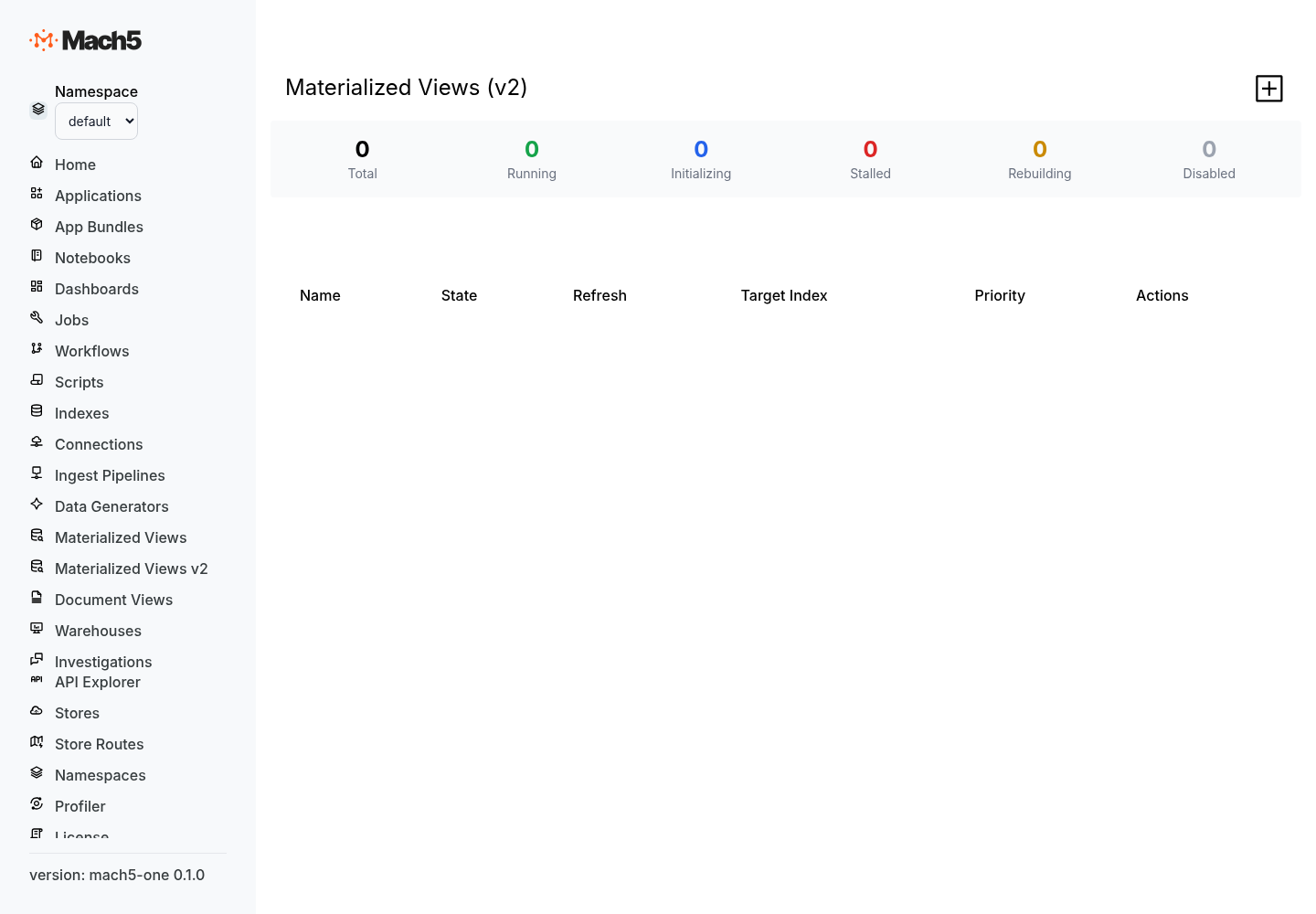
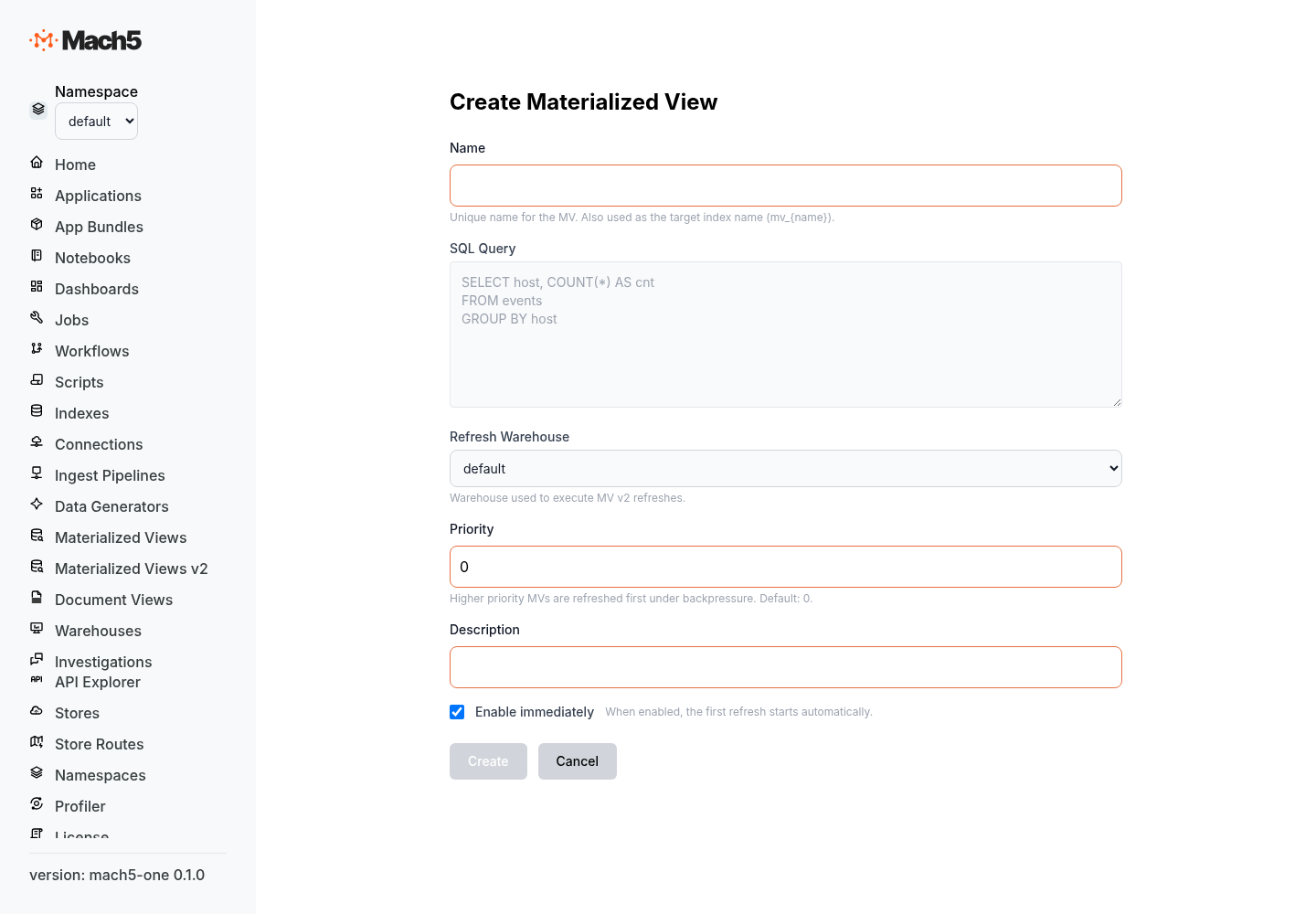
A materialized view has two parts:
- Materialized view resource — the saved SQL definition, refresh settings, and operational status.
- Target index — the index that stores the current query result. Applications, dashboards, SQL clients, and OpenSearch-compatible clients query this index directly.
Materialized views in this version are SQL-defined and refreshable. They support both full refresh and incremental refresh for supported query shapes.
When to use a materialized view
Use a materialized view when you want to:
- Precompute dashboard rollups such as counts, totals, or hourly buckets.
- Maintain a deduplicated view of high-volume events.
- Combine compatible sources into one derived index.
- Materialize two-source joins for repeated analysis.
- Build downstream views from upstream materialized views.
- Reduce repeated scan and aggregation cost for common queries.
How materialized views refresh
A refresh updates the target index so it reflects the source data used by the materialized view query.
Mach5 supports these refresh modes:
| Mode | Description |
|---|---|
AUTO | Chooses the appropriate refresh strategy. This is the default mode when no mode is supplied. |
FULL | Recomputes the entire materialized view result from the source query and replaces the target index contents. |
INCREMENTAL | Applies source changes to the target index for supported incremental query shapes. |
Automatic refresh uses the materialized view’s configured refresh warehouse. You can also run refresh commands manually from any PostgreSQL-compatible SQL client connected to the correct namespace and warehouse.
Create a materialized view
Create a materialized view by defining a SQL query and a refresh warehouse. The refresh warehouse is the Mach5 warehouse used to execute refresh work.
The materialized view target index defaults to mv_<materialized-view-name> unless you provide target_index_name.
REST API example
curl -X PUT \
  "https://mach5.example.com/namespaces/default/v2/materialized_views/hourly_service_errors" \
  -H "Content-Type: application/json" \
  -d '{
    "query": "SELECT DATE_TRUNC('"'"'hour'"'"', timestamp) AS hour, service, COUNT(*) AS errors FROM logs WHERE status >= 500 GROUP BY DATE_TRUNC('"'"'hour'"'"', timestamp), service",
    "target_index_name": "mv_hourly_service_errors",
    "refresh_warehouse": "analytics-wh",
    "enabled": true,
    "priority": 10,
    "description": "Hourly error counts by service"
  }'
Create request fields
| Field | Required | Description |
|---|---|---|
query | Yes | SQL query that defines the materialized view output. |
refresh_warehouse | Yes | Warehouse resource name used to run refreshes. |
enabled | No | Enables automatic refresh when true. Defaults to true. |
priority | No | Higher-priority views refresh first when multiple views need work. Defaults to 0. |
description | No | Human-readable description. |
target_index_name | No | Name of the index that stores materialized results. Defaults to mv_<name>. |
target_mapping | No | OpenSearch-compatible mapping for the target index fields. |
target_template | No | Name of a composable index template to apply to the target index. |
Example with target mapping
Use target_mapping when you want explicit field types for the materialized output.
curl -X PUT \
  "https://mach5.example.com/namespaces/default/v2/materialized_views/hourly_service_errors" \
  -H "Content-Type: application/json" \
  -d '{
    "query": "SELECT DATE_TRUNC('"'"'hour'"'"', timestamp) AS hour, service, COUNT(*) AS errors FROM logs WHERE status >= 500 GROUP BY DATE_TRUNC('"'"'hour'"'"', timestamp), service",
    "target_index_name": "mv_hourly_service_errors",
    "refresh_warehouse": "analytics-wh",
    "target_mapping": {
      "properties": {
        "hour": { "type": "date" },
        "service": { "type": "keyword" },
        "errors": { "type": "long" }
      }
    }
  }'
Query a materialized view
Query the target index directly. If the materialized view above uses target index mv_hourly_service_errors, SQL clients can query it like any other Mach5 index:
SELECT hour, service, errors
FROM mv_hourly_service_errors
WHERE hour >= NOW() - INTERVAL '24 hours'
ORDER BY hour DESC, errors DESC;
OpenSearch-compatible clients can also search the target index:
GET mv_hourly_service_errors/_search
{
  "size": 10,
  "sort": [
    { "hour": { "order": "desc" } },
    { "errors": { "order": "desc" } }
  ]
}
Refresh a materialized view manually
Use REFRESH MATERIALIZED VIEW from a PostgreSQL-compatible SQL client.
REFRESH MATERIALIZED VIEW hourly_service_errors;
This is equivalent to AUTO mode:
REFRESH MATERIALIZED VIEW hourly_service_errors AUTO;
Force a full recompute:
REFRESH MATERIALIZED VIEW hourly_service_errors FULL;
Request an incremental refresh:
REFRESH MATERIALIZED VIEW hourly_service_errors INCREMENTAL;
A successful refresh returns one row with refresh details, including the effective mode, reason, timing, and number of rows written.
Common result fields include:
| Field | Description |
|---|---|
status | Refresh status. A successful refresh returns success. |
mv_id | Materialized view resource ID. |
target_index_id | Target index ID refreshed by the statement. |
attempt_id | Unique refresh attempt ID. |
mode | Effective refresh mode: full or incremental. |
reason | Why Mach5 selected that refresh behavior. |
rows_written | Number of target rows written or affected. |
started_at_ms | Refresh start time in milliseconds since epoch. |
finished_at_ms | Refresh finish time in milliseconds since epoch. |
Explain a refresh
Use EXPLAIN REFRESH MATERIALIZED VIEW to inspect the refresh plan before running it.
EXPLAIN REFRESH MATERIALIZED VIEW hourly_service_errors;
Explain a full refresh:
EXPLAIN REFRESH MATERIALIZED VIEW hourly_service_errors FULL;
Explain an incremental refresh:
EXPLAIN REFRESH MATERIALIZED VIEW hourly_service_errors INCREMENTAL;
The result has one plan column that describes the selected refresh plan.
Automatic refresh
When enabled is true, Mach5 refreshes the materialized view as source data changes. The materialized view uses its configured refresh_warehouse to run refresh work.
Operational states you may see include:
| State | Description |
|---|---|
initializing | The materialized view is being prepared for its first result. |
running | The materialized view is active and can refresh automatically. |
suspended | Automatic refresh is disabled. |
stalled | A refresh failed and needs operator attention. |
rebuilding | The materialized view is being rebuilt. |
Disable automatic refresh:
curl -X PATCH \
  "https://mach5.example.com/namespaces/default/v2/materialized_views/hourly_service_errors" \
  -H "Content-Type: application/json" \
  -d '{ "enabled": false }'
Enable automatic refresh again:
curl -X PATCH \
  "https://mach5.example.com/namespaces/default/v2/materialized_views/hourly_service_errors" \
  -H "Content-Type: application/json" \
  -d '{ "enabled": true }'
Change the refresh warehouse:
curl -X PATCH \
  "https://mach5.example.com/namespaces/default/v2/materialized_views/hourly_service_errors" \
  -H "Content-Type: application/json" \
  -d '{ "refresh_warehouse": "larger-analytics-wh" }'
Rebuild a materialized view
A rebuild requests a full recompute of the materialized view result. Use rebuild after changing operational settings that require a clean recompute, or when directed by Mach5 support.
curl -X POST \
  "https://mach5.example.com/namespaces/default/v2/materialized_views/hourly_service_errors/rebuild"
You can also run a manual full refresh:
REFRESH MATERIALIZED VIEW hourly_service_errors FULL;
Check materialized view status
Get the materialized view definition:
curl "https://mach5.example.com/namespaces/default/v2/materialized_views/hourly_service_errors"
List materialized views in a namespace:
curl "https://mach5.example.com/namespaces/default/v2/materialized_views"
Get refresh status:
curl "https://mach5.example.com/namespaces/default/v2/materialized_views/hourly_service_errors/status"
Get dependencies:
curl "https://mach5.example.com/namespaces/default/v2/materialized_views/hourly_service_errors/dependencies"
Validate a materialized view
Validation compares the materialized result with the result of the defining SQL query at the time validation runs.
curl -X POST \
  "https://mach5.example.com/namespaces/default/v2/materialized_views/hourly_service_errors/validate"
Use validation when checking correctness after operational changes or when troubleshooting unexpected query results.
Incremental refresh eligibility
Incremental refresh is available for specific SQL query families. Queries outside these families can still be materialized with full refresh when the SQL query is valid and the target output fields can be mapped.
Counted-key additive aggregates
Use this pattern for grouped totals and counts.
SELECT service, SUM(bytes) AS total_bytes, COUNT(*) AS events
FROM logs
GROUP BY service;
Eligibility rules:
- Group key columns are strings.
- Additive outputs are
SUM(...)values compatible with 64-bit integers and/orCOUNT(*). - Output field names are unique.
- Aggregate group keys are non-null.
Distinct and dedup views
Use this pattern for a unique set of string keys.
SELECT DISTINCT service
FROM logs;
Equivalent key-only grouped shape:
SELECT service
FROM logs
GROUP BY service;
Multi-source UNION ALL fan-in
Use this pattern to combine compatible sources and aggregate them into one target.
SELECT service, SUM(events) AS total_events
FROM (
  SELECT service, events FROM app_events
  UNION ALL
  SELECT service, events FROM infra_events
) u
GROUP BY service;
Each UNION ALL branch should read from one source and produce compatible columns.
Two-way join projection
Use this pattern to materialize a direct projection from one equality join between two sources.
SELECT l.id, l.service, s.owner
FROM logs l
JOIN services s ON l.service = s.service;
Supported join forms include inner joins, left and right outer joins, full outer joins, semi joins, and anti joins when the query uses direct equality join keys and direct column projections.
Two-way join aggregate
Use this pattern to aggregate after one equality join.
SELECT s.owner, COUNT(*) AS events
FROM logs l
JOIN services s ON l.service = s.service
GROUP BY s.owner;
The aggregate output follows the same counted-key additive aggregate rules: string group keys, COUNT(*), and/or 64-bit integer-compatible SUM(...) values.
Cascaded materialized views
A materialized view target can be used as the source for another materialized view.
SELECT service, SUM(errors) AS errors
FROM mv_hourly_service_errors
GROUP BY service;
Cascaded refresh works best when each downstream materialized view uses one of the incremental-eligible query families.
Full refresh query surface
Full refresh uses Mach5 SQL. A query can be materialized by full refresh when:
- The query is valid Mach5 SQL.
- The output fields have unique names.
- The output schema can be represented in the target index mapping.
Full refresh is appropriate for projections, filters, expressions, general aggregations, and joins that do not need incremental refresh behavior.
Best practices
Choose stable output field names
Always alias expressions and aggregates so the target index has predictable field names.
SELECT DATE_TRUNC('hour', timestamp) AS hour,
       service,
       COUNT(*) AS errors
FROM logs
WHERE status >= 500
GROUP BY DATE_TRUNC('hour', timestamp), service;
Provide target mappings for production views
Use target_mapping for production materialized views so downstream clients see stable field types.
{
  "properties": {
    "hour": { "type": "date" },
    "service": { "type": "keyword" },
    "errors": { "type": "long" }
  }
}
Use a dedicated refresh warehouse
Assign materialized view refreshes to a warehouse sized for the source data volume and refresh frequency.
Prefer AUTO for routine operations
Use AUTO for normal manual refreshes. Use FULL when you explicitly want to recompute the target. Use INCREMENTAL when you want to verify that a query shape is incrementally maintained.
Query the target index, not the source query
Dashboards and applications should query the materialized target index. This keeps reads fast and avoids repeatedly recomputing the source query.
Materialized Views v1 deprecation
The earlier Materialized Views v1 feature is deprecated in this version. Use SQL-defined materialized views for new work. Existing v1 materialized views should be migrated to the v2 materialized view API and SQL refresh workflow.